
Event Deposit $50
$50.00 Cooking Fee
Cook Tools and Details
Print Recipe
Ingredients Scale
Adjust the ingredients measurement scale here by changing this number. 12
Instructions
- Important: Please finalize your menu as soon as possible, in order to provide at least 3 days prior to event for your customer to review the shopping and equipment list.
- Please collaborate with the customer on the menu and event details. Once you've finalized the menu together, the next step is for you to fill out an event summary form.Based on the details provided in this form, we'll send a full contract for all parties to review and sign. You can see a sample of the contract beforehand here.Summary: Foodom will send a summary email with the details and final quote. If extra charges are needed, we will add to the customer's cart for review and payment.
How to add ingredients and equipment to the shopping list:
- Once you have finalized your order, you will have access to a blank shopping list to fill. Just go to your calendar and click on the appointment. Click on View Shopping List, then scroll to the bottom and click on Edit Shopping List. Here you can add a header such as Equipment and Groceries. Fill with all items needed for the appointment. Your customer will be able to view this list as well, by logging into their account and going to Shopping Lists.
- Important: The customer is responsible for the equipment needed, unless otherwise agreed upon.
Cook Times
Ingredients
Ingredients
- Shopping/Equipment list will be provided by your Chef once menu is agreed upon
Cooking Tools Required
A list to be provided by your chefGet the most out of your order
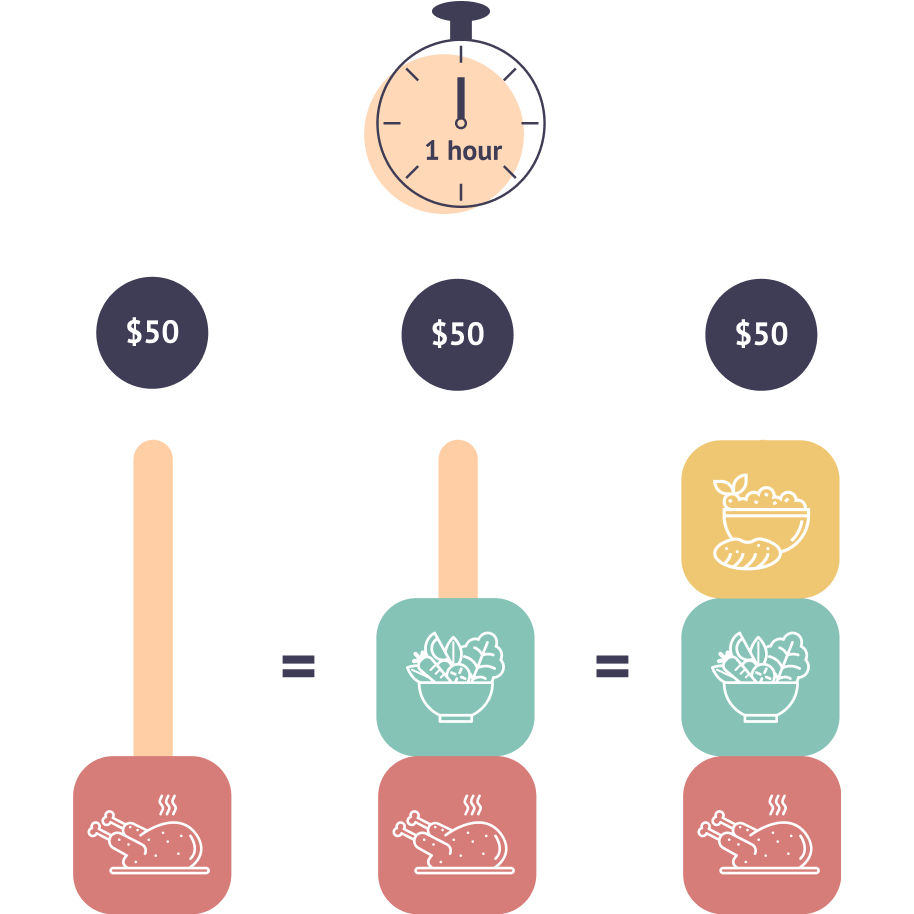
You can get some side dishes for free.
- Start with the main dish, then add the sides.
- You'll see the magic pricing at work.
- The prices will change as you add more dishes to your cart.
- You'll only pay for the total time it takes to prepare everything.